Construction Log and Construction Supervision—you need to keep track of what still needs to be done, by whom, and by when. The ticket system in NOVA AVA helps you do just that. And there’s more: The person responsible for a task, as specified in the ticket, is notified and can edit the ticket directly on your NOVA AVA platform.
NOVA AVA naturally includes everything that is standard for tickets: Photos, location in the plan, responsibility, deadline, processing status. Many can do that.
NOVA AVA goes much further:
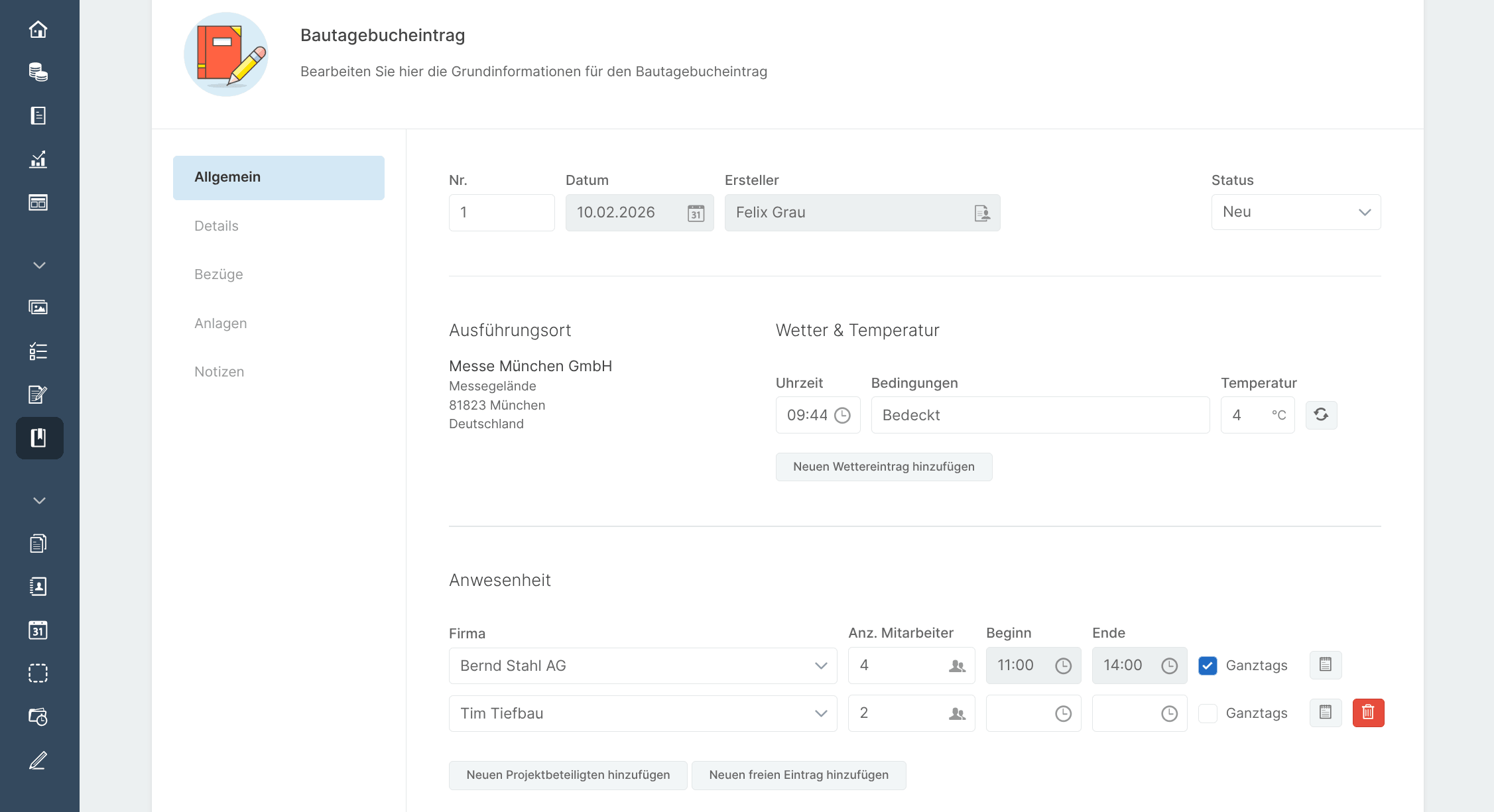
In a way, a construction log is also a record. But it’s a very special one with very specific requirements. That’s why NOVA AVA has its own tab for it. There you record all the mandatory information directly.
And of course, you’ll always notice things that still need to be done or fixed. You know, that’s what NOVA AVA tickets are for. And sure enough, you can link tickets directly to the construction diary.
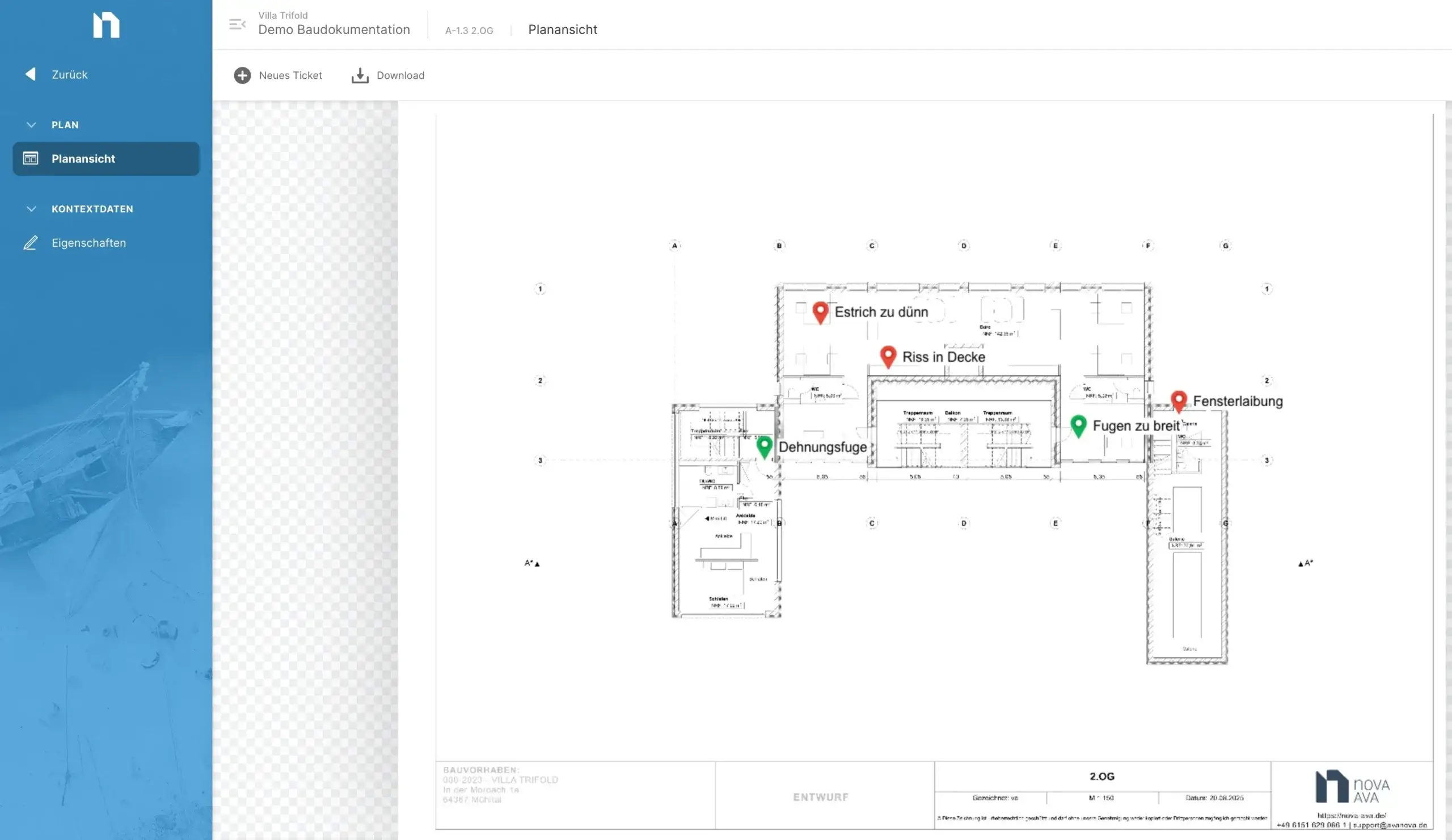
Under “Plans,” you can organize all the plans needed for the construction site in a structured manner. When you create a ticket, you can pinpoint tasks and defects within these plans. Whoever is assigned to work on the ticket can then see exactly where it is located on the plan. In the plan view itself, you’ll see all marked tickets.
If you work with BIM, your BIM model is available to you everywhere in NOVA AVA – from the cost framework to the final invoice. In construction supervision, you can locate your ticket directly in the BIM model. NOVA AVA does this directly with the open BIM method BCF (Building Collaboration Format).
When creating a ticket, you can open your model, navigate to the relevant component and then select the component. The viewing angle is also saved in your BCF ticket. For anyone who then looks at the BCF ticket in the model, the “camera” zooms directly onto the component with the exact view in which you have selected it.