

Construction diary and construction supervision – you need to keep track of what needs to be done, by whom and by when. The ticket system in NOVA AVA helps you with this. And there’s more: whoever is responsible for a task according to the ticket is notified and can process the ticket directly on your NOVA AVA platform.
NOVA AVA naturally includes everything that is standard for tickets: Photos, location in the plan, responsibility, deadline, processing status. Many can do that.
NOVA AVA goes much further:
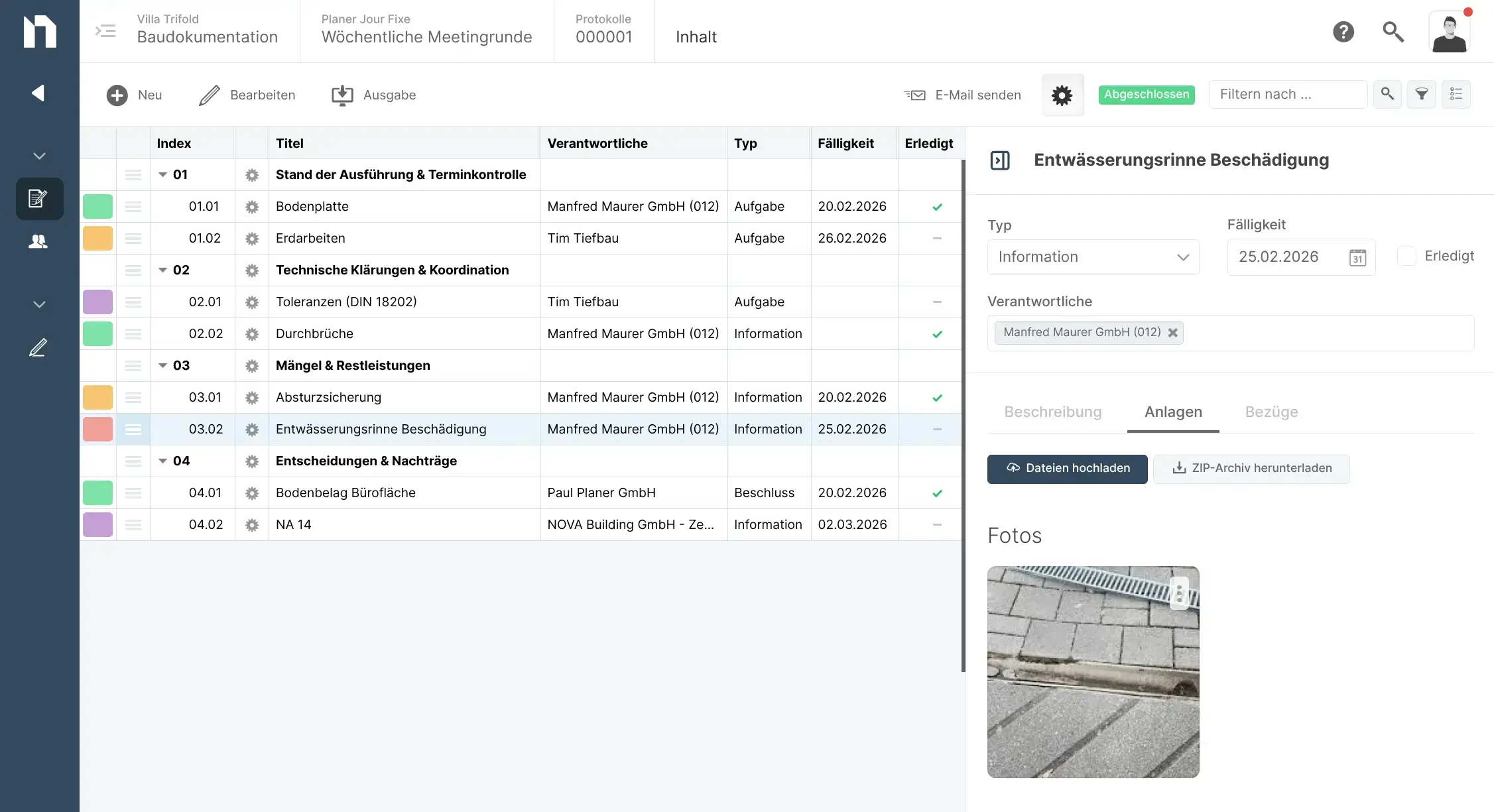
In phase 8, a large number of minutes must be kept (meetings, inspections, approvals, etc.). NOVA AVA helps you to create and maintain order. You do this in NOVA AVA under “Minutes”. There you will find all minutes in a central overview – with categories, filter options, etc.
Tasks with responsibilities and deadlines are an essential part of every construction meeting. With the ticket system, you can easily keep an eye on these points. You can enter new topics in a meeting as a ticket right away and then link it to your meeting minutes.
In short: There is only one ticket for a task, which is linked to the right places – in your log, in your construction diary and – additionally, always possible – to the relevant service item in the order BOQ, etc.
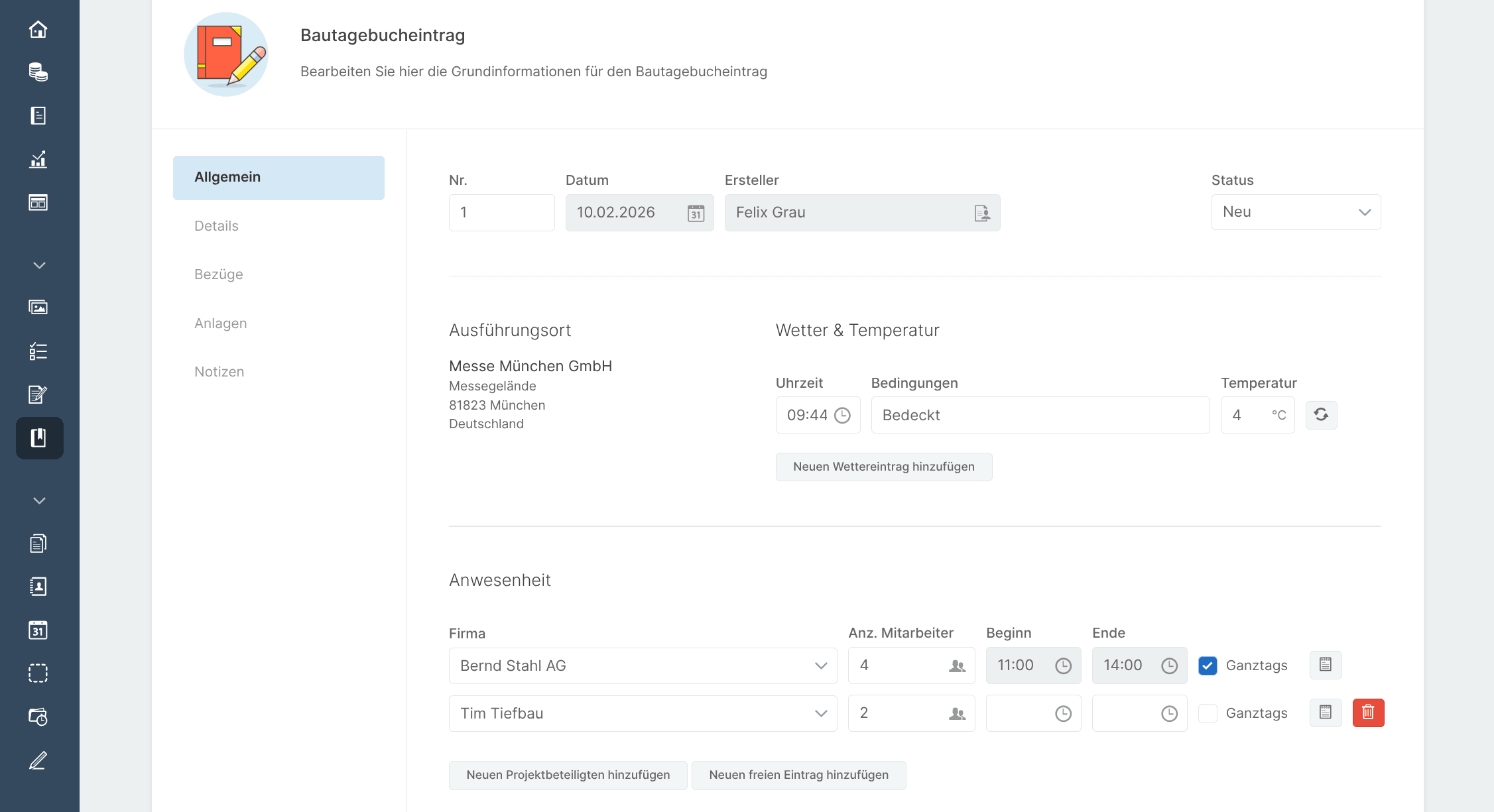
In a way, a construction diary is also a log. But a very special one with a very special must. That’s why NOVA AVA has its own tab. This is where you record all mandatory information directly.
And of course you always notice things that still need to be done or put in order. You know that there are tickets for this in NOVA AVA. And of course, you can also link tickets directly to the construction diary.
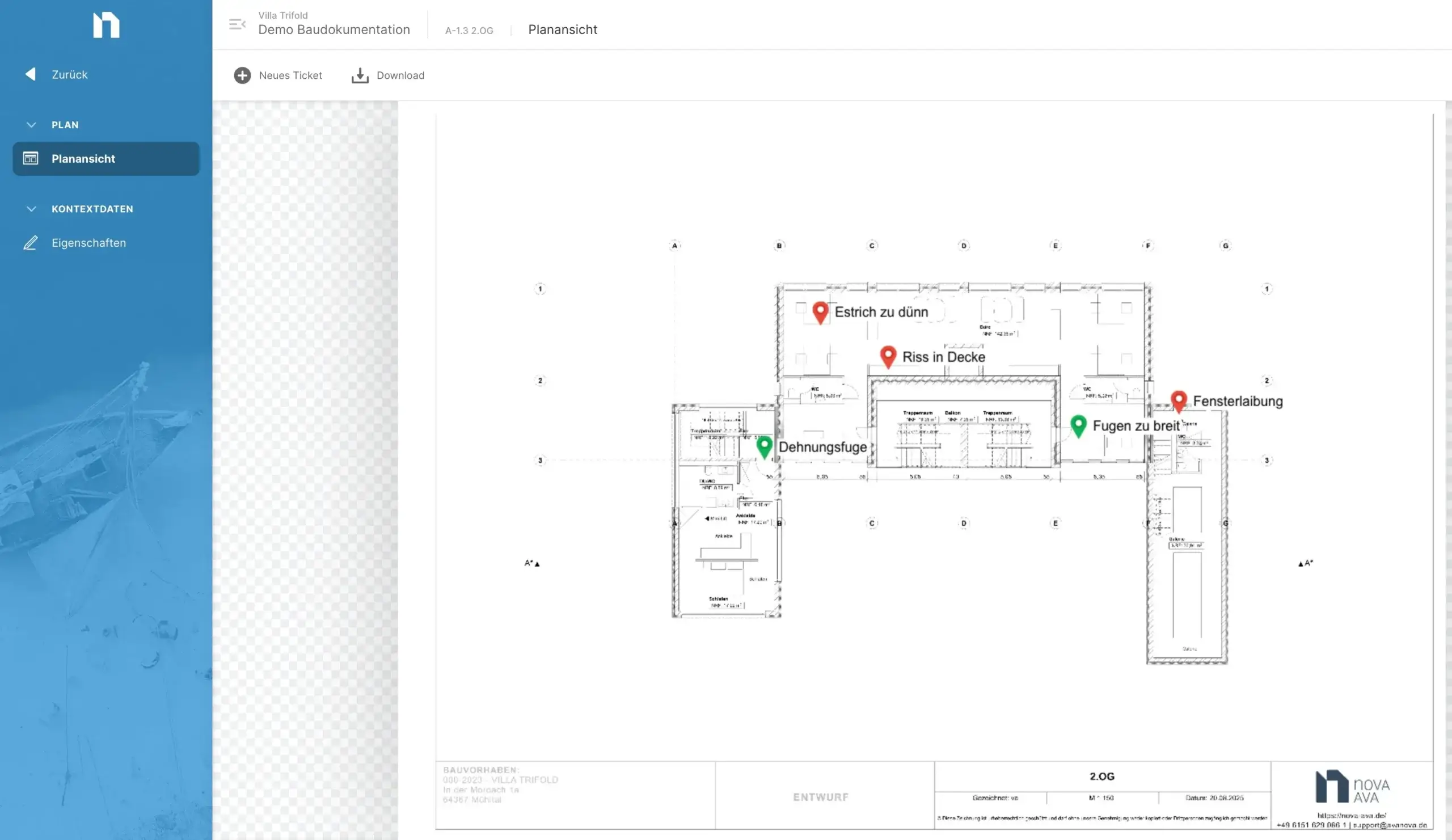
Under “Plans”, you store all plans that are required for the construction site in a structured manner. In these plans, you locate tasks and defects when you create a ticket. Whoever has to process the ticket will then see it exactly in the plan. In the plan view itself, you can see all marked tickets.
If you work with BIM, your BIM model is available to you everywhere in NOVA AVA – from the cost framework to the final invoice. In construction supervision, you can locate your ticket directly in the BIM model. NOVA AVA does this directly with the open BIM method BCF (Building Collaboration Format).
When creating a ticket, you can open your model, navigate to the relevant component and then select the component. The viewing angle is also saved in your BCF ticket. For anyone who then looks at the BCF ticket in the model, the “camera” zooms directly onto the component with the exact view in which you have selected it.