

New in the October 2025 update for: Bill of Quantities, print list of test invoices (more placeholders), price comparison list, STLB Bau & Stamm -BOQ etc.
The following overview is also available as a PDF document:
Print invoice: Placeholder invoice print list
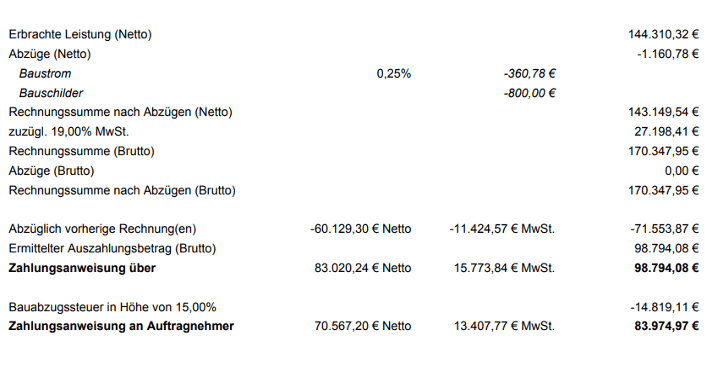
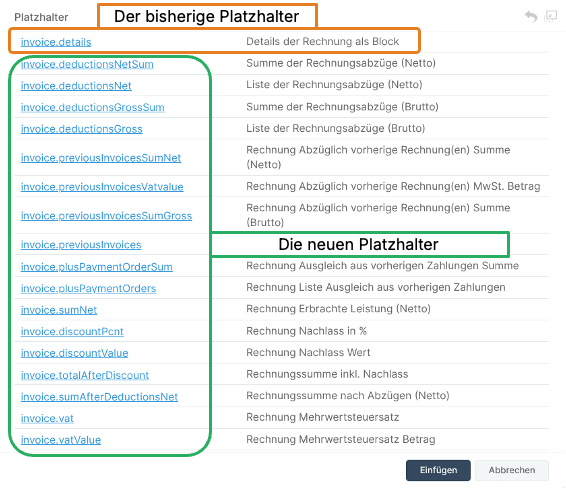
Previously, there was only one placeholder for the invoice compilation with a fixed specification and sequence of content. For an individualized output of the invoice list, all values can now be arranged more freely using new placeholders. The previously fixed sequence and selection of information has thus been resolved.
Quotation/ awarding: Price comparison list – more options for processing
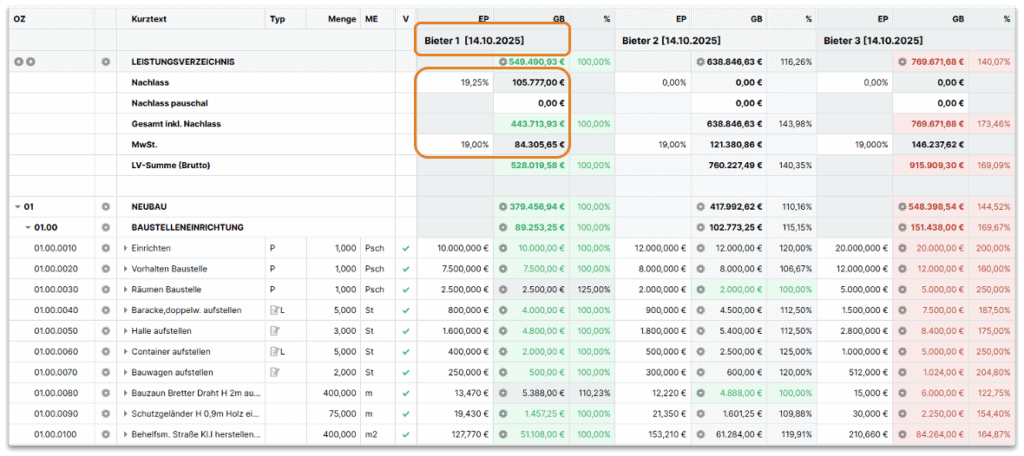
New background colors show more clearly where entries can be made for each bidder. Discounts, VAT and cash discounts can now be edited directly. The bidder name now also shows the date of the offer.
Performance / measurement: two additional measurement checks / warnings
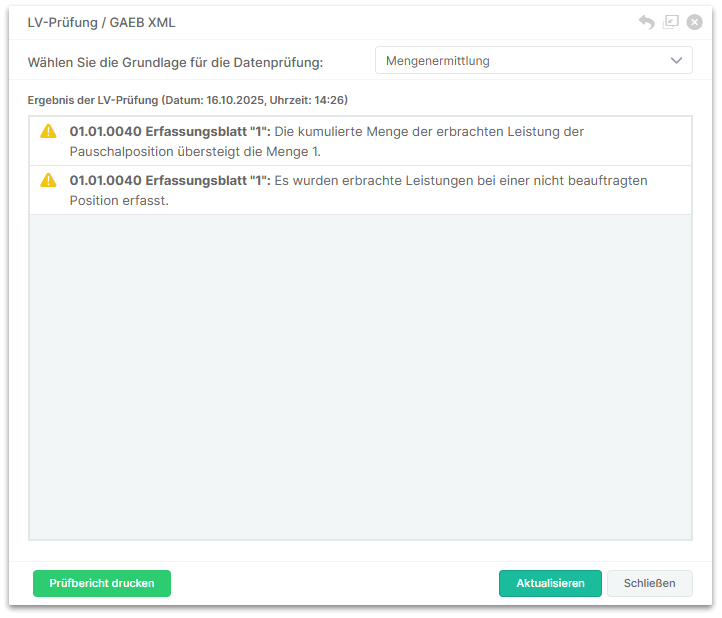
A warning must be issued! Now it will be.
- The cumulative allowance quantity exceeds quantity 1 for flat-rate items.
- Services are reported for items that have not been commissioned.
The measurements and quantity takeoffs are now always checked automatically if
- data entry sheets can be released.
- a GAEB file DA11/X31 files is exported.
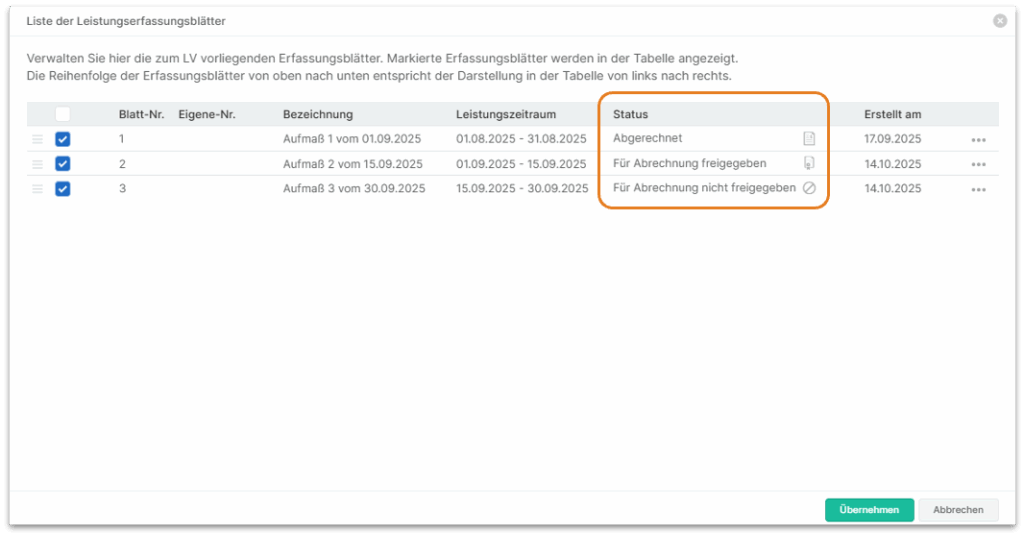
Service/ measurement: Overview of data entry sheets shows status of each sheet
In the overview of data entry sheets, the status of the data entry sheets is now also displayed in a separate column. The table can also be sorted according to this column.
Bill of Quantities: Excel import recognizes item category
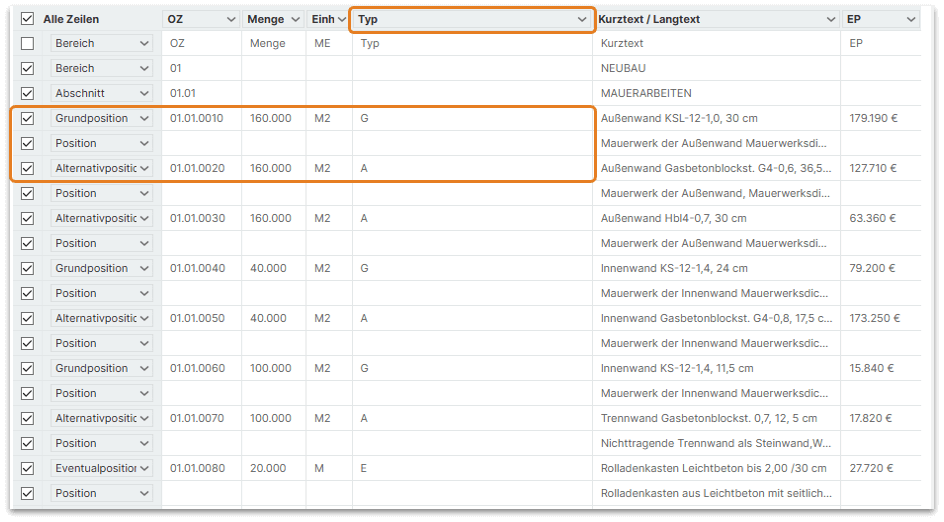
If an Excel Bill of Quantities is imported, the types of item lines can now be recognized automatically. This is done with a “Type” column. The following contents are recognized and adopted:
- “G” for basic position,
- “A” for alternative position,
- “E” for contingent item without GB.
Bill of Quantities: Better overview of item sources
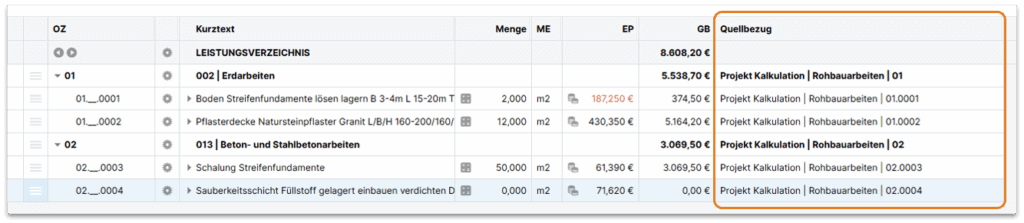
In addition to the name of the Bill of Quantities and the ordinal number of the source, the corresponding source project is now also displayed in the “Source reference” column. By clicking in this column, you can switch directly to the relevant Bill of Quantities.
Bill of Quantities: Who deleted which BOQ item and when?
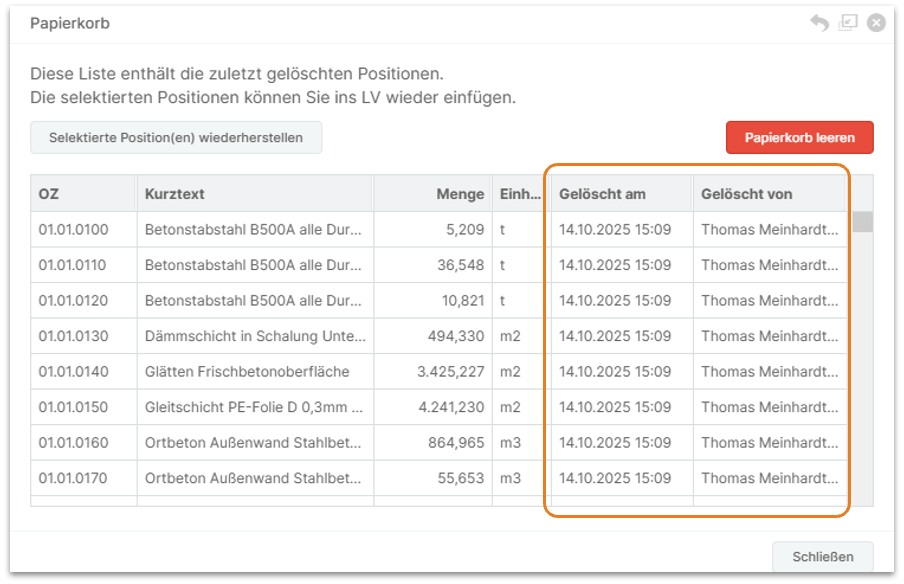
Helps with team collaboration: The recycle bin now also shows who deleted which entries and when.
Bill of Quantities: more information in the Bill of Quantities
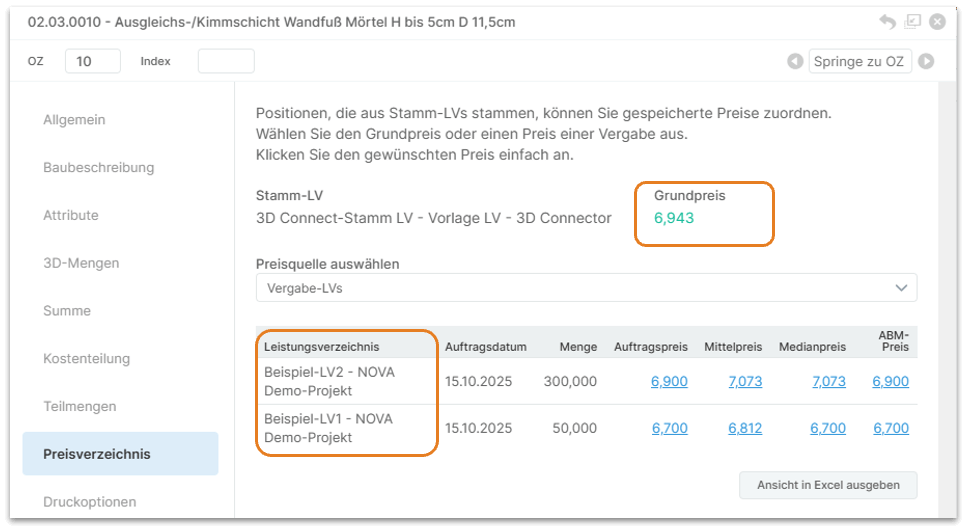
In the Price list dialog, the basic price of the master BOQ item is now displayed for master BOQ items. The name and description of the individual contract specifications are now displayed in full and also output via Excel.
Administration Features: New “URL” feature type
Features of the type “URL” can now also be created in the administration.
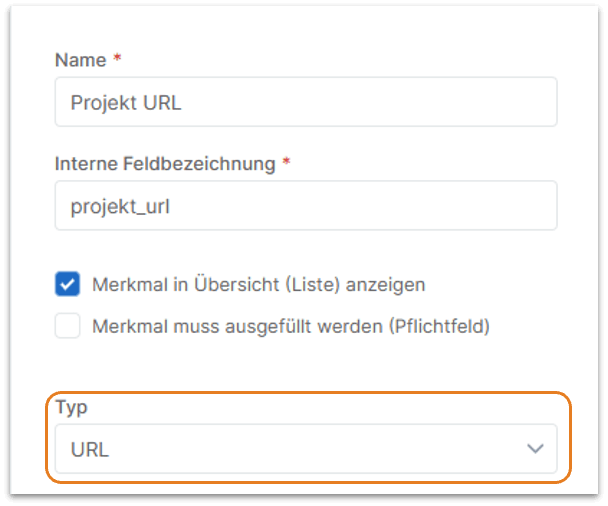
The recorded links/URLs can be called up accordingly, e.g. in the overviews.

Improvements must be made. And bugs out.
All dynamic settings can now be saved and loaded in the saveable print settings templates – such as sorting, layer depth output, etc.
The PDF version of the building description has been improved with regard to inserted page breaks.
When printing the building description, there is now also the print option “Continue next page”.
Unnecessary blank lines/spaces in the printout between BOQ cost estimate and tender BOQ have been corrected.
The building description print list has been adjusted:
- No longer issued: Contingent items, omitted items.
- Building description texts are also output, even if they are not assigned a heading – at the end of the building description.
Create service specifications
An STLB construction item is no longer automatically converted into a free text item if the reference of this item to the master BOQ is canceled.
If master Bill of Quantities items are updated within a Bill of Quantities, any changed catalog assignments of the master Bill of Quantities items can now optionally be transferred to the current BOQ.
Further information
Invitation to tender: The list of participants in an invitation to tender now also shows in an additional column when a participant was invited. This is also included in the Excel export.
Quotation/Award: The Excel output of the price comparison list now also includes the “Type” column of the item types/types for a better overview.
Billing – Solved: Now cost sharing invoices are also correct if the entry “NZ-not assigned” was also used when dividing the costs of BOQ/area/item levels by percentage.
General: If a user is only assigned to one NOVA department, this is now displayed in the user’s general profile information.
Administration: The CSV export of user activities ( Administration) now also shows the e-mail addresses for the respective entries.
API: The NOVA AVA API has been extended: At the end point for outputting the cost elements of the final sheet, the items or cost estimates for each cost element can now also be output as an option.